The Life Fluids Database

Life Fluids Logo: error en carregar

The Life Fluids Database (LFDB) is a human biofluids biomolecules composition database, manually curated and compilling over 112.000 biomolecules (LFDB v1.0), including metabolites (83.5%), proteins and associated genes (15%), transcripts (1.4%), and chemical elements (0.1%)

  • 🔍 Search for biomolecules using different types of identifiers.
  • 🗂️ Browse biomolecules across different biofluids.
  • 🔁 Compare the results obtained between biofluids.


Search metabolites


UpSet Plot: intersections
Loading...

Common metabolites between biofluids
Loading...

Metabolites per biofluid
Loading...

Browse metabolites by their biofluid


Search proteins


UpSet Plot: intersections
Loading...

Common proteins between biofluids
Loading...

Proteins per biofluid
Loading...

Browse proteins by their biofluid


RESULTS:


Search transcripts


UpSet Plot: intersections
Loading...

Common transcripts between biofluids
Loading...

Transcripts count for each biofluid
Loading...

Browse transcripts by their biofluid


RESULTS:


Search chemical elements


UpSet Plot: intersections
Loading...

Common chemical element between biofluids
Loading...

Chemical elements count for each biofluid
Loading...

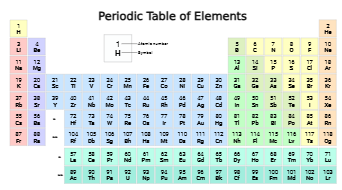
In this tab, you can see hihglighted the introduced chemical elements in the periodic table


Browse chemical elements by their biofluid


RESULTS:


The Life Fluids DB v1.0

The graphs below are interactive, so feel free to click on the biofluids in the legend to explore the different combinations.


The Life Fluids Database is divided into four main panels, one for each type of omics data: metabolites, proteins and associated genes, transcripts, and chemical elements.
Each of these omics panels is divided into two sections: Search and Browse.


Step 1: 📂 Upload Data

This section allows you to input a list of identifiers corresponding to the selected omics category.
You can either:

  • Enter the identifiers manually in the text field, or
  • Upload a .txt file containing the list of identifiers (one per line).

Once the data is entered, click the Execute 🔍 button.

Step 2: 📄 Results Visualization

On the right panel, you will find two tabs: Results and Summary.

  • 📈 Results: Displays a table with the search results. For each identifier entered in the previous step (if it exists in our database), a corresponding entry will be shown.
    You can explore the table within the application or download it as an Excel or CSV file.
  • 📊 Summary: This section contains two plots based on the submitted data:
    • The first chart shows the number of biomolecules in the biofluids.
    • The second chart shows the number of biomolecules detected in each individual biofluid.

Click the Clear 🧹 button to reset the form.

This section displays a list of all biofluids included in our database.
You can select any combination of biofluids to explore.

After selecting your desired biofluids, click the Browse 🔍 button.
A table will appear on the left, displaying the substances present in the selected biofluids.

You can search and filter data across different columns in this table.

Click the Clear 🧹 button to reset the form.


The Life Fluids Database (LFDB) is developed and maintained by the Advanced Metabolomics Team: https://advancedmetabolomics.com/


Cite us:

Annabel Margalef, Maria Llambrich, Pau Bordoy, Pol Romera, Héctor Villalba, Raquel Cumeras.

The Life Fluids Database: a human biofluids composition database.


Contact us:

metabolomicsadvanced@gmail.com